
Blind spots at both ends
Front, rear and both flanks fall outside the operator's line of sight. Cameras cover all four — and the AI looks for people, not movement.
TK300 · AI Anti-Collision System
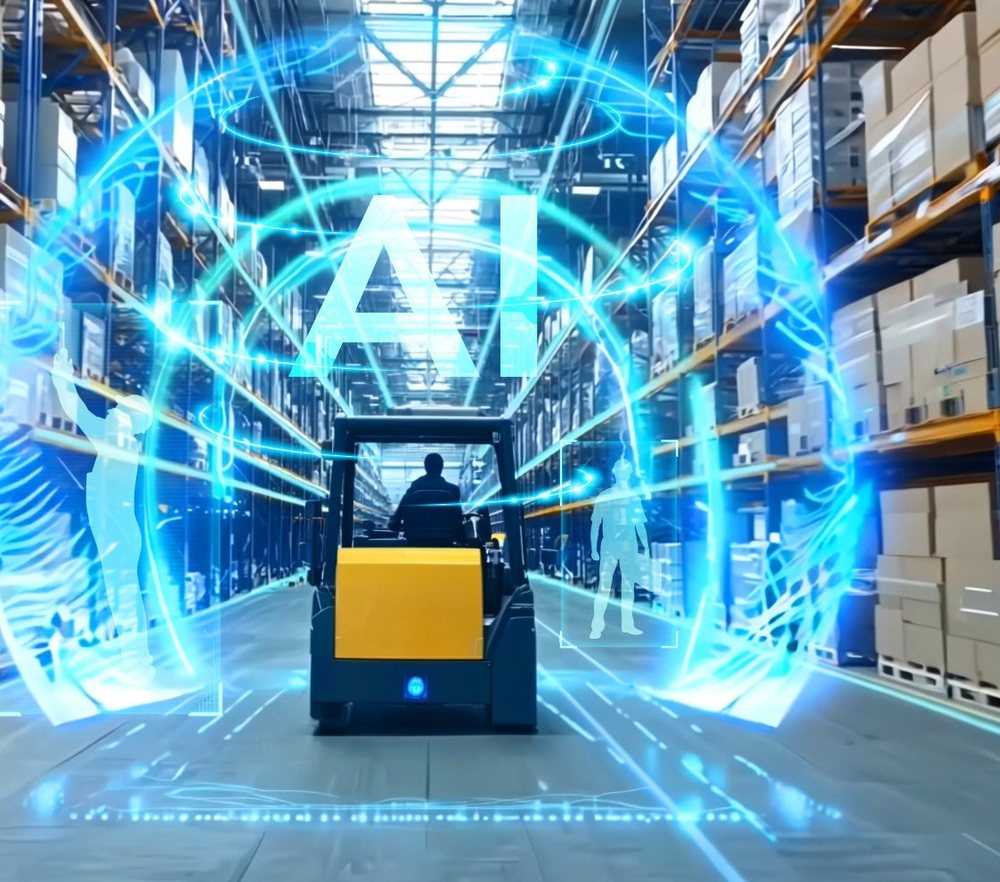
An AI safety system built specifically for industrial forklifts. Four cameras watch for people in blind spots, on-board AI decides in milliseconds, and the truck slows or brakes on its own — before the gap closes.
The site reality
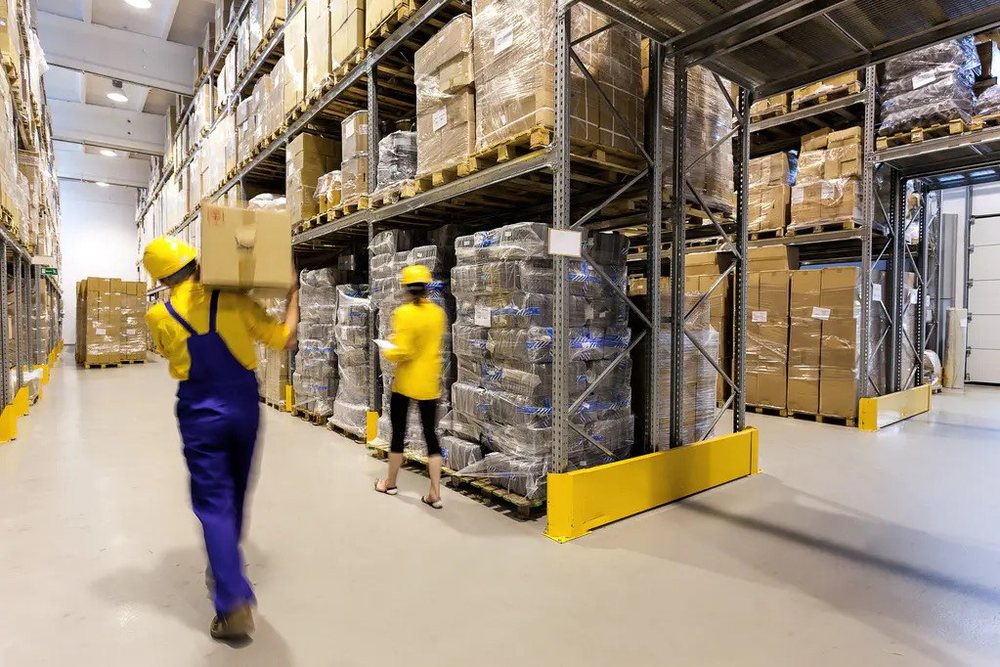
Racking, stacked loads and tight aisles hide people until they are a metre away. Mirrors help. Radars help. Neither tells the operator who is standing in the aisle — or whether the person at the controls is still fit to drive.
Front, rear and both flanks fall outside the operator's line of sight. Cameras cover all four — and the AI looks for people, not movement.
Pick faces, staging lanes and loading docks put people and trucks in the same space all shift. The TK300 gives the truck a warning zone and a braking zone.
Long shifts, phone calls, smoking in the cabin. A dedicated driver camera detects the behaviour, prompts the operator and logs the event.
How it works
Collision prevention, driver monitoring and blind-spot detection run on the same AI host. Each layer works on its own; together they cover the truck, the people around it and the person driving it.
01
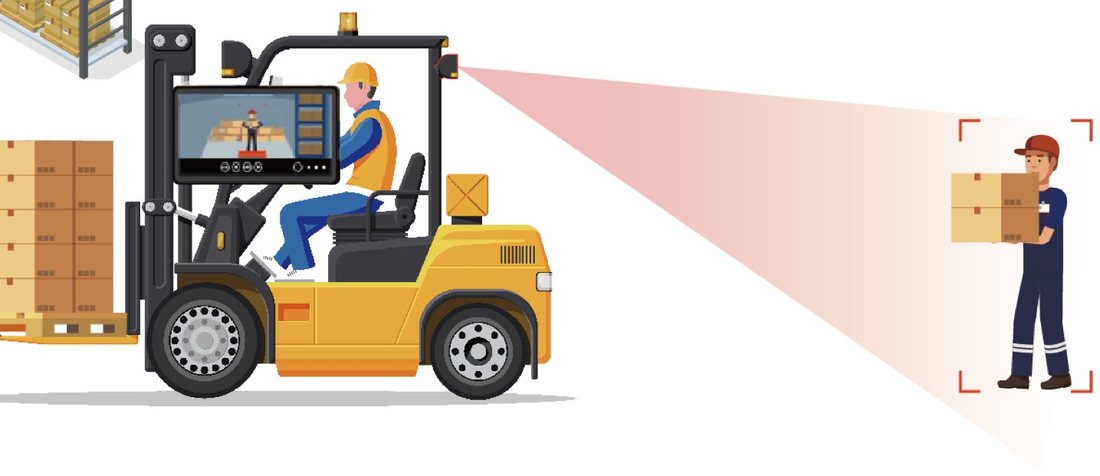
Cameras stream to the AI host, which identifies pedestrians and tracks them across the frame. Because it recognises people — not motion — pallets, racking and passing traffic don't trigger false alarms.
02
A camera at the A-pillar monitors the driver for fatigue, smoking and phone use. The system prompts the operator in the cabin, and records the event for your supervisor reports.
03
Front, left, right and rear views are combined into an overhead view on the 7 inch monitor, so the operator can see the whole envelope of the truck before reversing or turning.
Response strategy
You set the distance for each stage per camera. A person entering the outer zone triggers a warning; closer in, the truck is slowed; in the braking zone the system applies the brakes through the vehicle control harness.
Top-down view — zone distances are set per camera, per truck.
The AI host identifies a person and tracks them across the camera's 120° view.
An audible prompt and on-screen alert go to the operator before the gap closes.
Inside the braking zone the relay harness cuts drive or applies the brake. An optional bypass key lets a technician move the truck.
Set-up in the warehouse, not the workshop
The unit broadcasts its own Wi-Fi hotspot. Connect a phone, open the Tek Associate app and drag the zone lines over the live camera feed — blue for the view line, yellow for the warning area, red for braking.
No laptop, no proprietary cable — and settings stay with the truck.
What you get
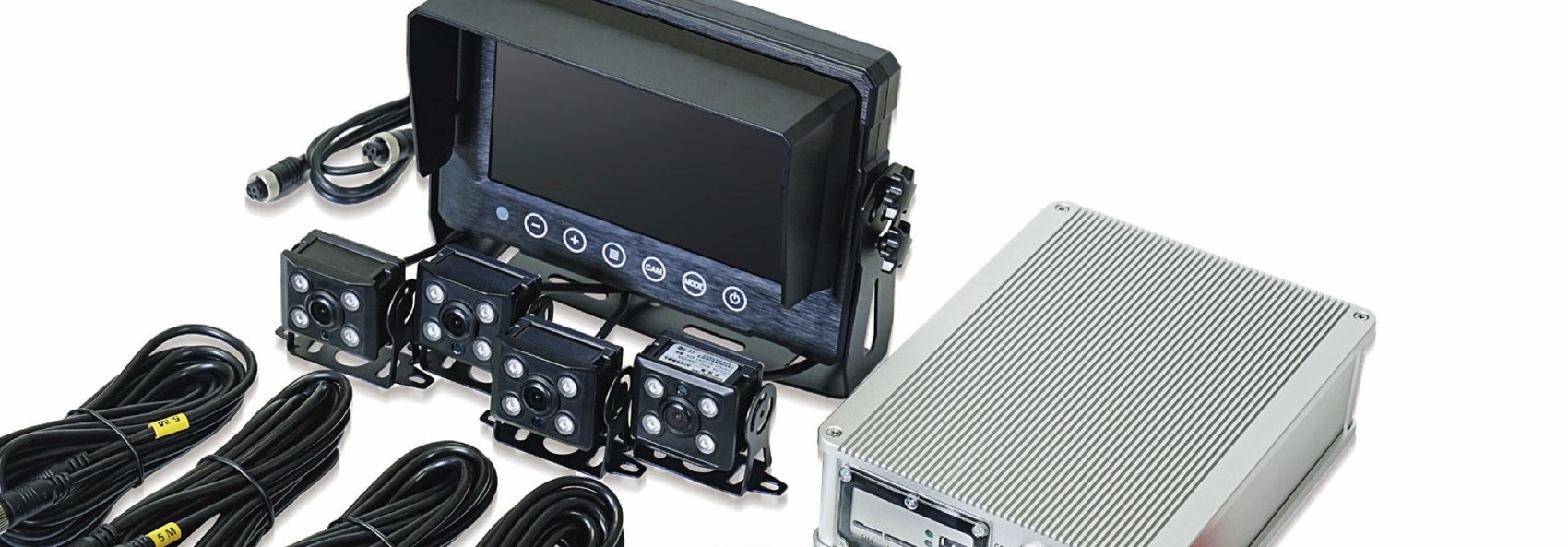
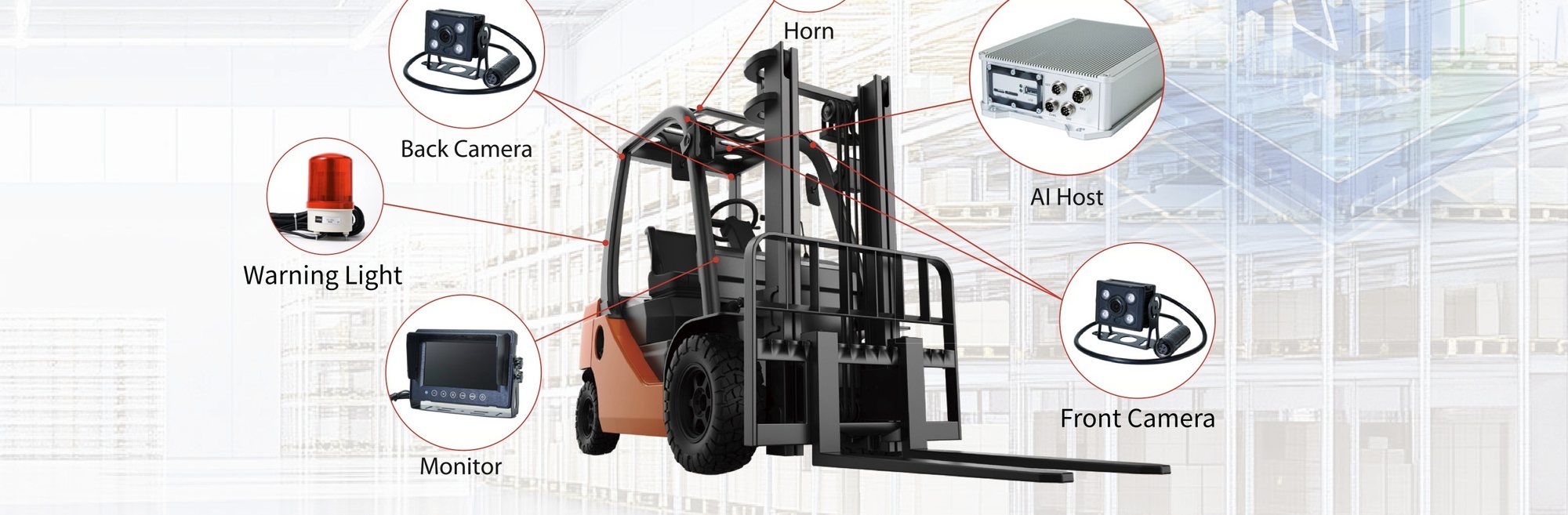
Every kit is configured for the forklift it goes on — camera count, cable lengths and mounting brackets. Standard configuration ships with four cameras; up to six channels are supported.
Installation
The TK300 is a retrofit. The AI host tucks under the seat or behind the overhead guard, cameras mount to the guard, and power comes from the key switch through a 12 V supply.
Installed by us, or by your team. We can fit the system at your site anywhere in Australia, or supply the kit with the installation manual and wiring diagrams for your own technicians. Both come with phone support from our workshop.
Book an installationFleet management
With a SIM card fitted, the TK300 reports over 4G and is located by GPS and BeiDou. Events, driver behaviour and vehicle status feed your fleet management platform — the same box also handles driver identity and site-level reporting.
Illustrative dashboard — reporting is provided through the TK300 backend.
Technical data
Full figures from the TK300 datasheet. Ask us for the current revision before specifying to a tender.
| Compute | Quad-core ARM Cortex-A7 + RISC-V MCU, 2.0 TOPS NPU |
|---|---|
| Video | H.264, 4 × 1080p at 25 fps; one-way CVBS output |
| Audio | MP3; 4 Ω / 3 W external horn output |
| Connectivity | 4G (4/7-mode), Wi-Fi + Bluetooth, GPS + BeiDou |
| Interfaces | USB, Ethernet 10/100M, RS232, high-speed CAN (120 Ω), CVBS |
| Storage & updates | 128 GB SD card; upgrade by SD card or OTA (with 4G) |
| Power | 12 V, 3 A; 25 W consumption |
| Reverse input | High level valid, 12–50 V |
| Housing | AI host 234 × 154 × 60 mm, aluminium, white |
| Module type | 2 MP 4-in-1 wide dynamic coaxial HD camera |
|---|---|
| Effective pixels | 1920 (H) × 1080 (V) |
| Sensor | 1/2.9" GC2093 + FH8550M |
| Detection distance | 10 m |
| Detection angle | 120° |
| Minimum illumination | 0.01 Lux (F1.2, AGC on), IR supported |
| Day / night | External control (default) / automatic / colour / B&W |
| Frame rate | 720p 25 fps / 720p 30 fps |
| Output & standard | AHD; PAL / NTSC |
| Protection | IP67, zinc alloy body, 53 × 35 × 54 mm |
| Display | 7" waterproof monitor (optional) |
|---|---|
| Housing | Aluminium alloy, IP67, 205 × 140 × 25 mm |
| Brightness / contrast | 450 cd/m², 500:1 |
| Input signal | CVBS, PAL / NTSC |
| Input voltage | 12–32 V |
| Flip function | Image can be flipped up, down, left and right |
| Supplied with | Sunshade, bracket and connection cable |
| Module | Event | Detection rate | Accuracy |
|---|---|---|---|
| DMS | Fatigue / yawning | ≥90% | ≥95% |
| DMS | Smoking | ≥90% | ≥95% |
| DMS | Phone call | ≥90% | ≥95% |
| BSD | Pedestrian, overhead view (left / right / rear) | ≥10 m day · ≥8 m night | ≥95% |
Detection performance is measured under reference conditions and varies with site lighting, camera angle and obstruction.
| Operating temperature | −20 °C to 60 °C |
|---|---|
| Storage temperature | 25 °C nominal |
| Humidity | 0–95%, non-condensing |
| Protection level | IP67 |
| Mounting hardware | Insulating pad, brackets, waterproof caps and covers supplied |
Xequipment support
Send us your fleet list and we'll price the configuration that fits — cameras, monitor and braking harness included or not.
Our technicians fit the system on site, or we supply the kit and documentation for your own team.
Cameras, monitors, harnesses and brackets held for replacement units, so a damaged component doesn't park the truck.
Fund a fleet rollout across the year instead of one capital hit. Talk to us about finance.
Questions
It is designed to retrofit to industrial counterbalance trucks from the major brands — the AI host mounts under the seat or on the overhead guard, and cameras clamp to the guard. Tell us your make, model and mast height when you enquire and we'll confirm brackets and cable lengths.
Yes, with the optional vehicle control harness. The system uses relays to trigger slow-down or braking; a bypass key lets a technician disable the relay action for service and movement. Without the harness the system warns and records only.
The AI classifies people rather than motion, so pallets, racking and passing plant don't trigger a warning on their own. Zone distances are set per camera for the aisle or dock it works in.
Cameras are sensitive to 0.01 Lux and carry infrared illumination for low light. Rated operating range is −20 °C to 60 °C and the components are IP67 sealed — wash-down and cold-store operation are within spec.
The optional 7" monitor shows camera channels and an overhead view of the truck's surroundings. It runs from 12–32 V, is IP67 rated and includes a sunshade for outdoor yards.
Zones and settings are adjusted from a phone over the unit's own Wi-Fi hotspot, using the Tek Associate app. Firmware can be updated by SD card, or over the air when a 4G SIM is fitted.
Yes. Each unit reports over 4G with GPS/BeiDou positioning, so events and driver behaviour roll up into the fleet platform. For larger fleets we quote rollouts in stages with a shared installation schedule.
Next step
Send the number of trucks, the site type and where you're based. We'll come back with a configuration, a price and an installation window.